
iPhone and iPad
In your pocket on iPhone, on a big screen on iPad. Book while the client is standing there; reminder notifications on both.
For iPhone and iPadApp StoreManage appointments, clients and your team in one place. Plan the week on your computer, follow the salon floor on a tablet, keep up with the day on your phone, always in sync.
No credit card required. For iPhone, iPad, Android, Mac and Windows.
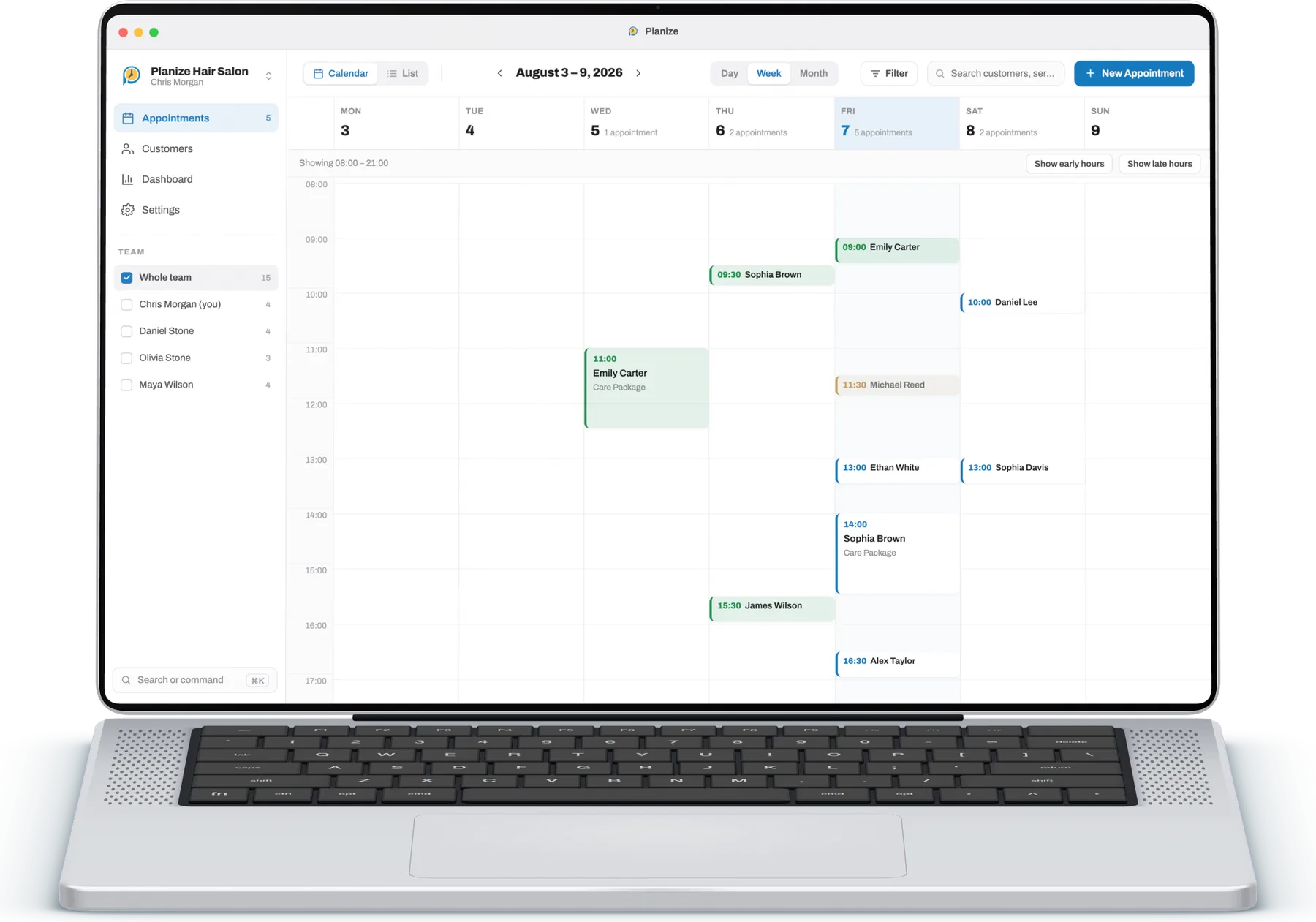
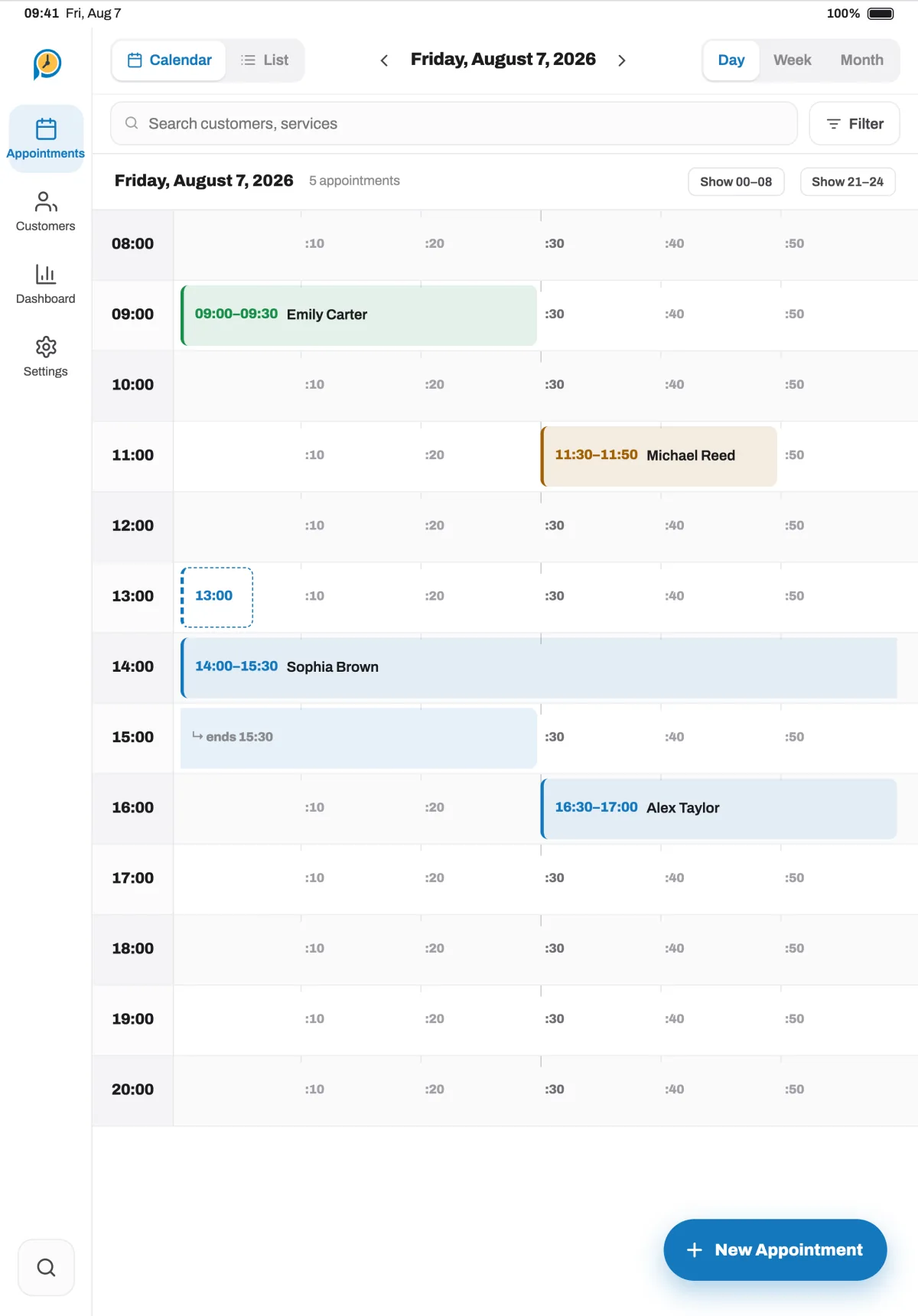
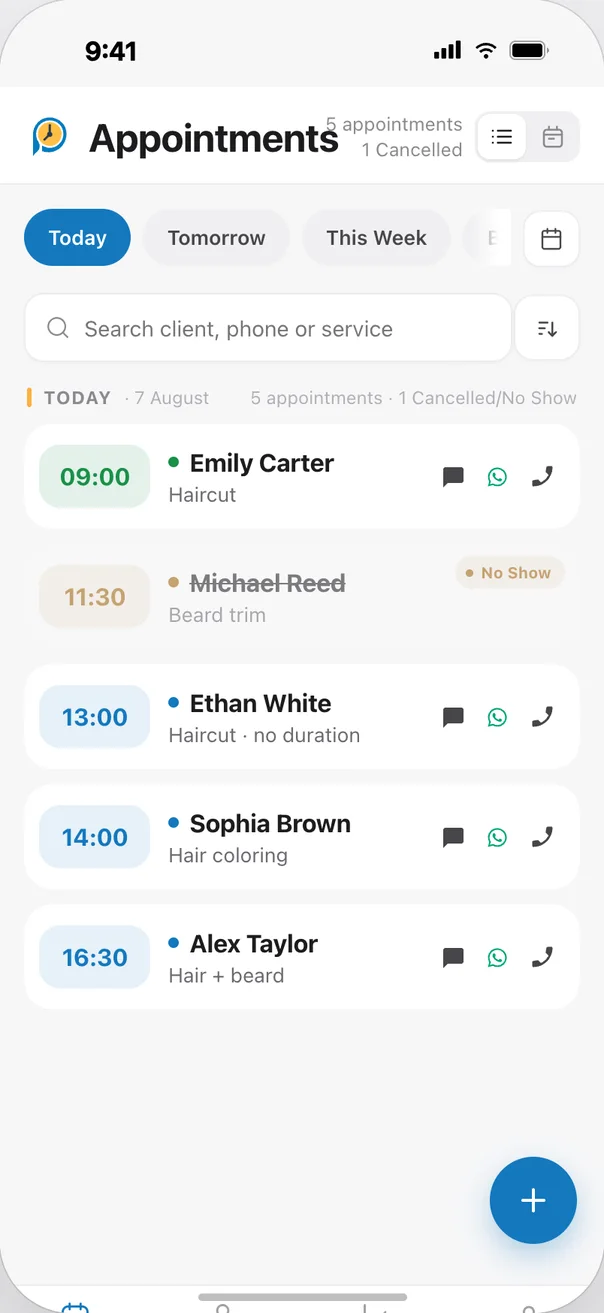
Sign in with the same account and your appointments, clients and team are identical everywhere. Start on your phone at the salon, continue on your computer at the desk.
In your pocket on iPhone, on a big screen on iPad. Book while the client is standing there; reminder notifications on both.
For iPhone and iPadApp StoreOn Android phones and large-screen tablets, and on AppGallery for Huawei devices.
Find it on Huawei AppGalleryFor AndroidGoogle PlayA roomy calendar, search with ⌘K and appointment reminders on your Mac.
For MacMac App StoreA roomy calendar, the Ctrl+K command palette and drag-and-drop planning.
For WindowsMicrosoft StoreFrom the first appointment of the day to the final report: on a big screen at your computer, by touch on a tablet, in your pocket on a phone.
Day, week, month and list views on computer and tablet; today, tomorrow and a weekly list on phone. Your whole team's appointments side by side.
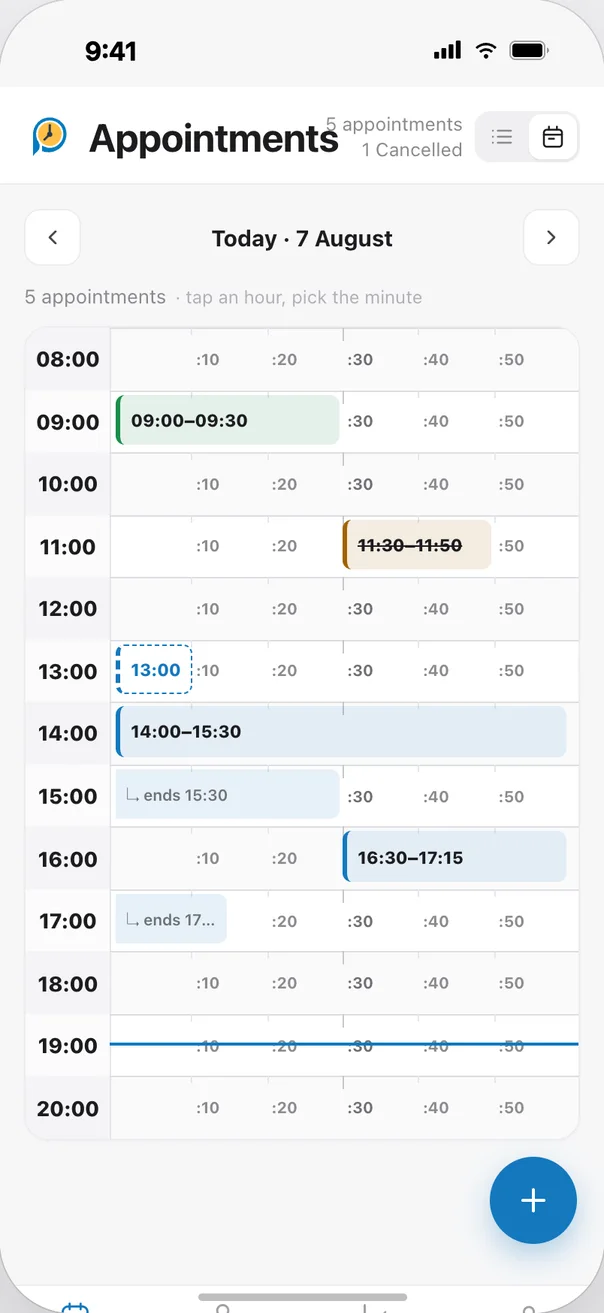
Pick the client, tick the service, and duration and price fill in on their own. Adding a note or reminder takes one tap.
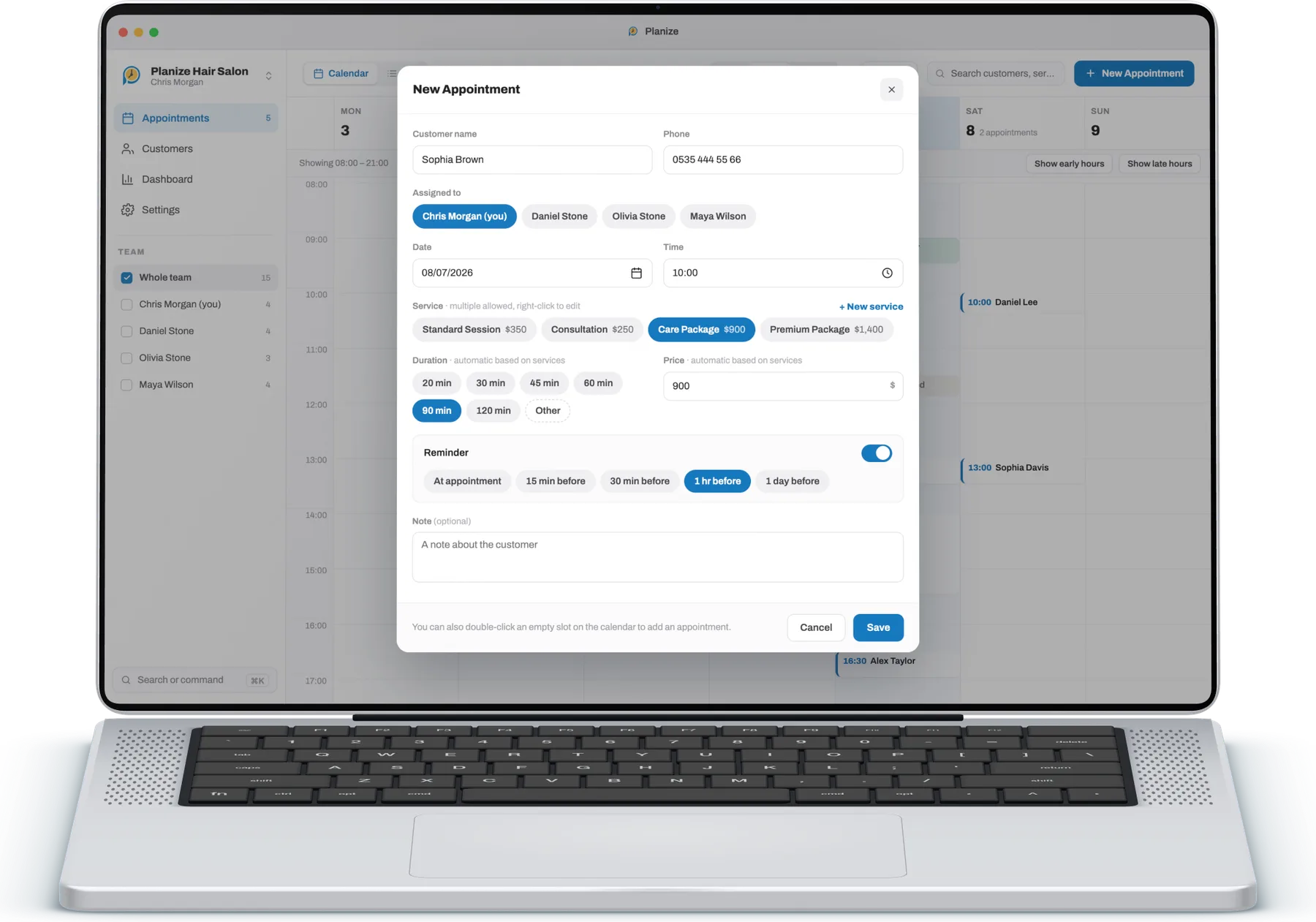
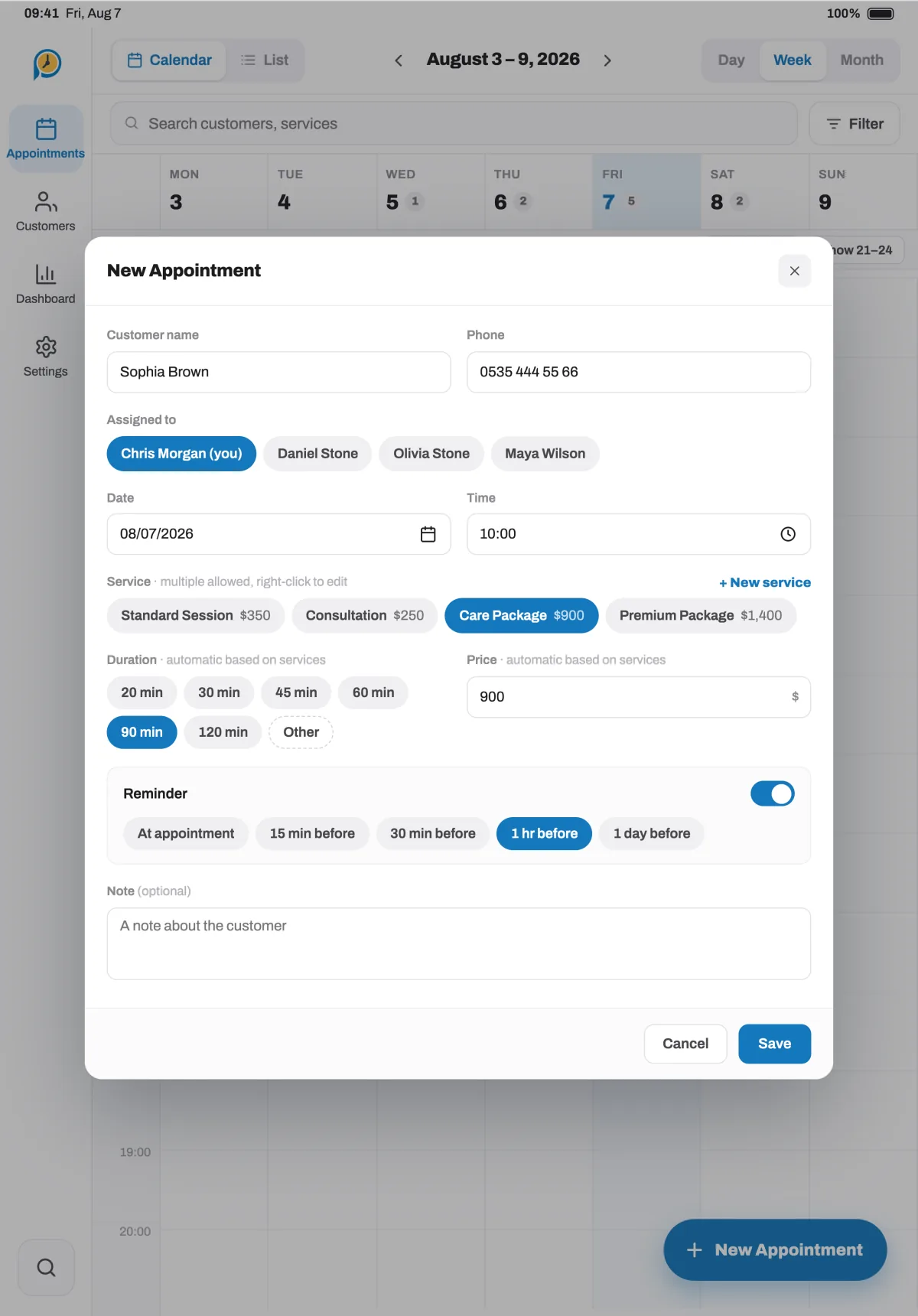
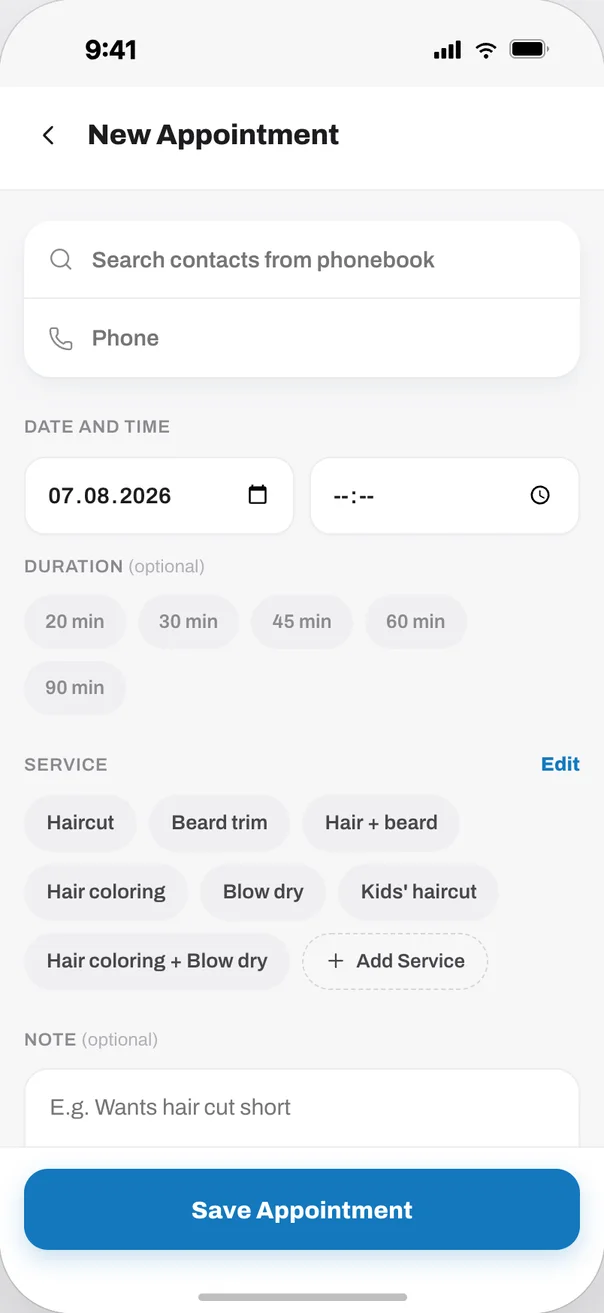
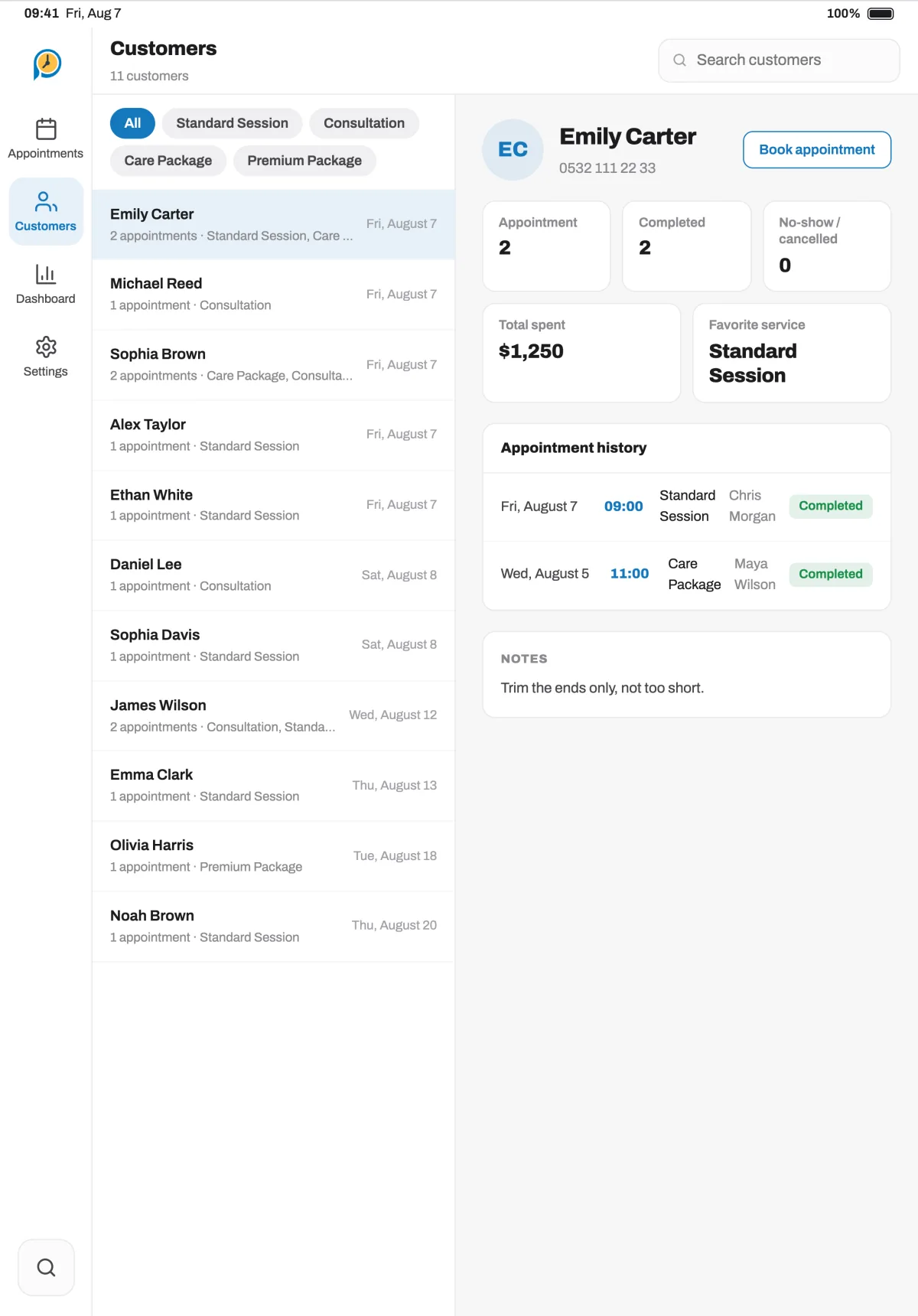
When a client calls, their visit history, notes and upcoming appointment are right in front of you.

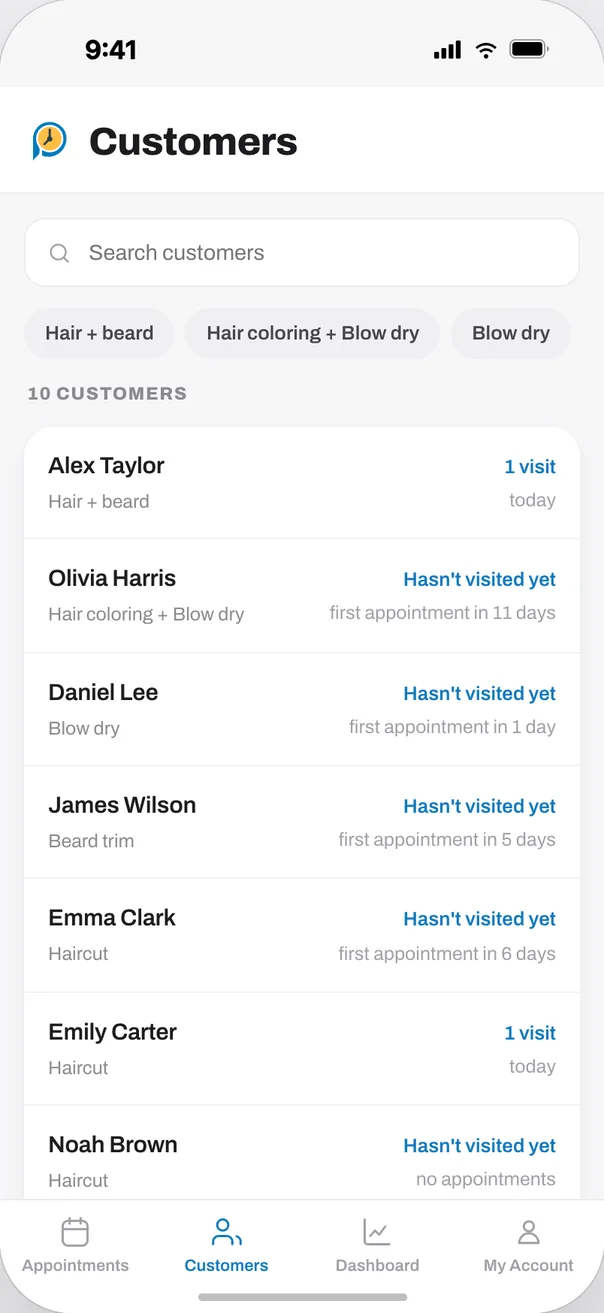
Follow appointment volume, revenue, popular services and team workload in clear charts.
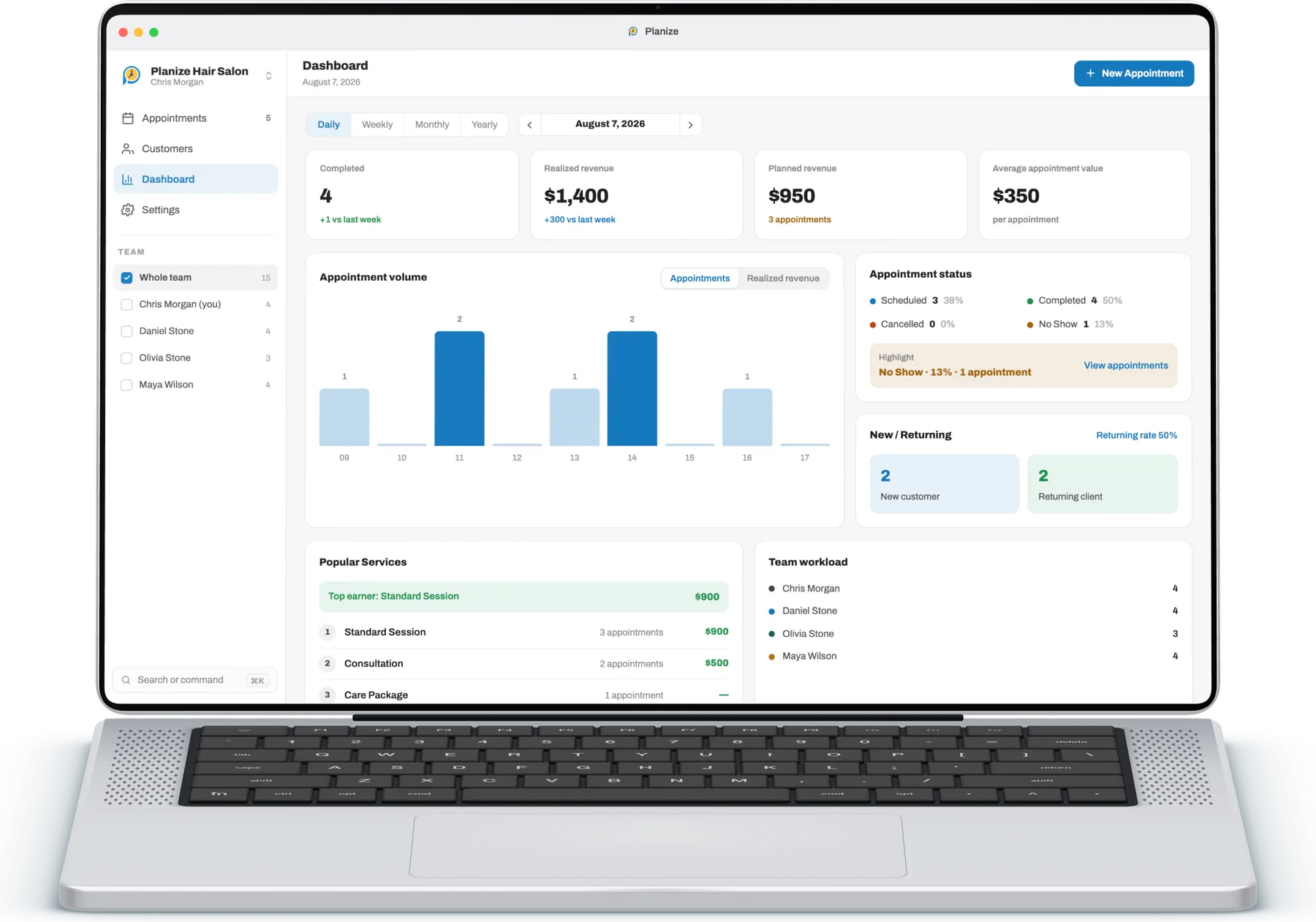
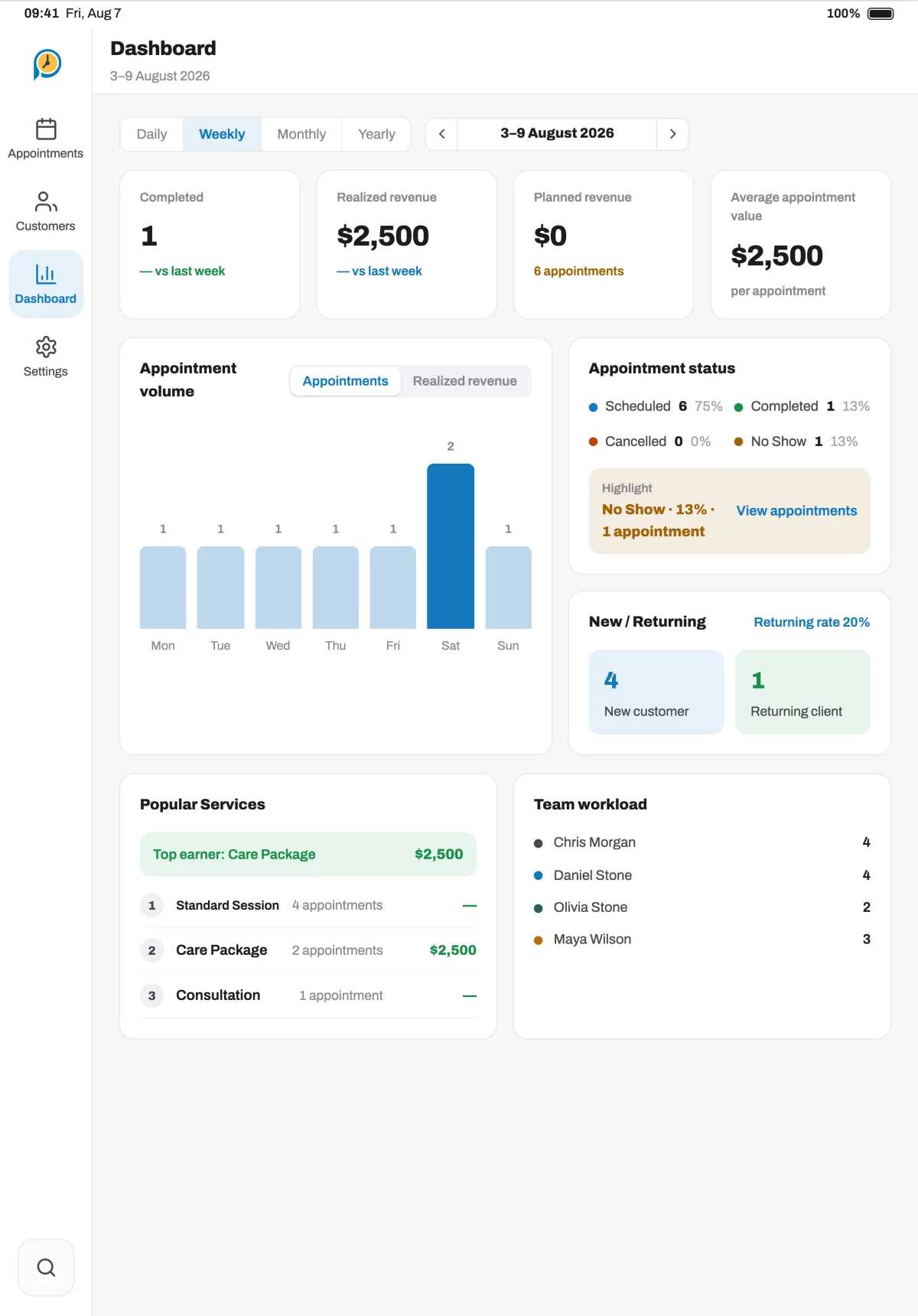
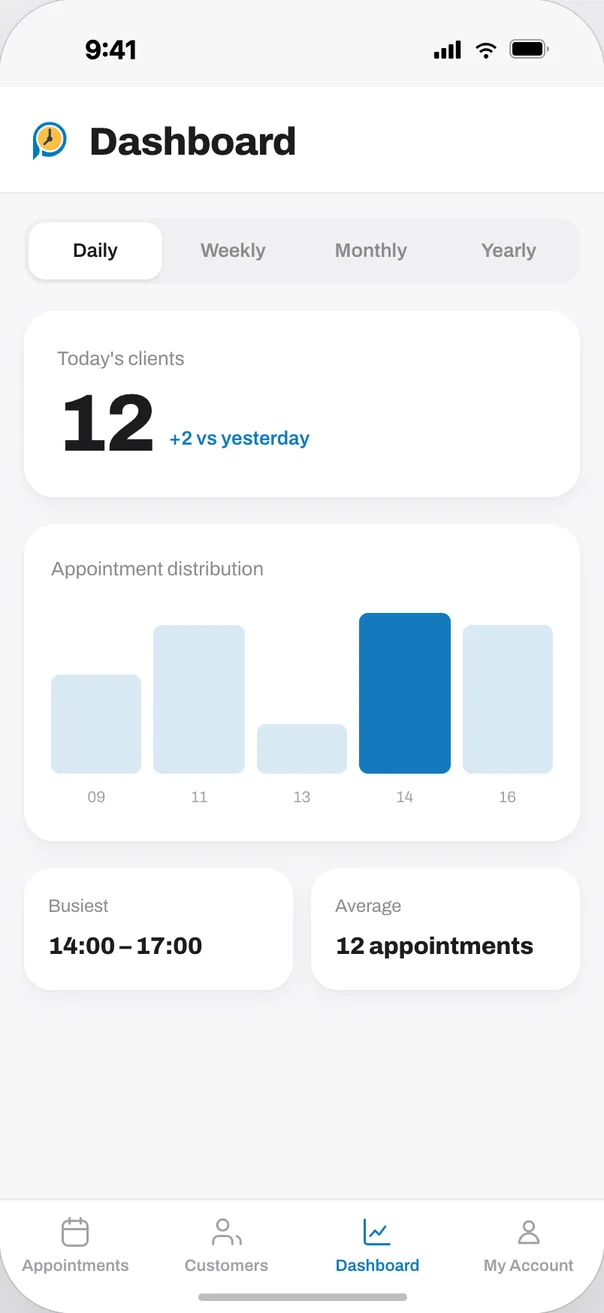
Add your staff to your business and set the services they offer. Everyone works from their own device, in sync.
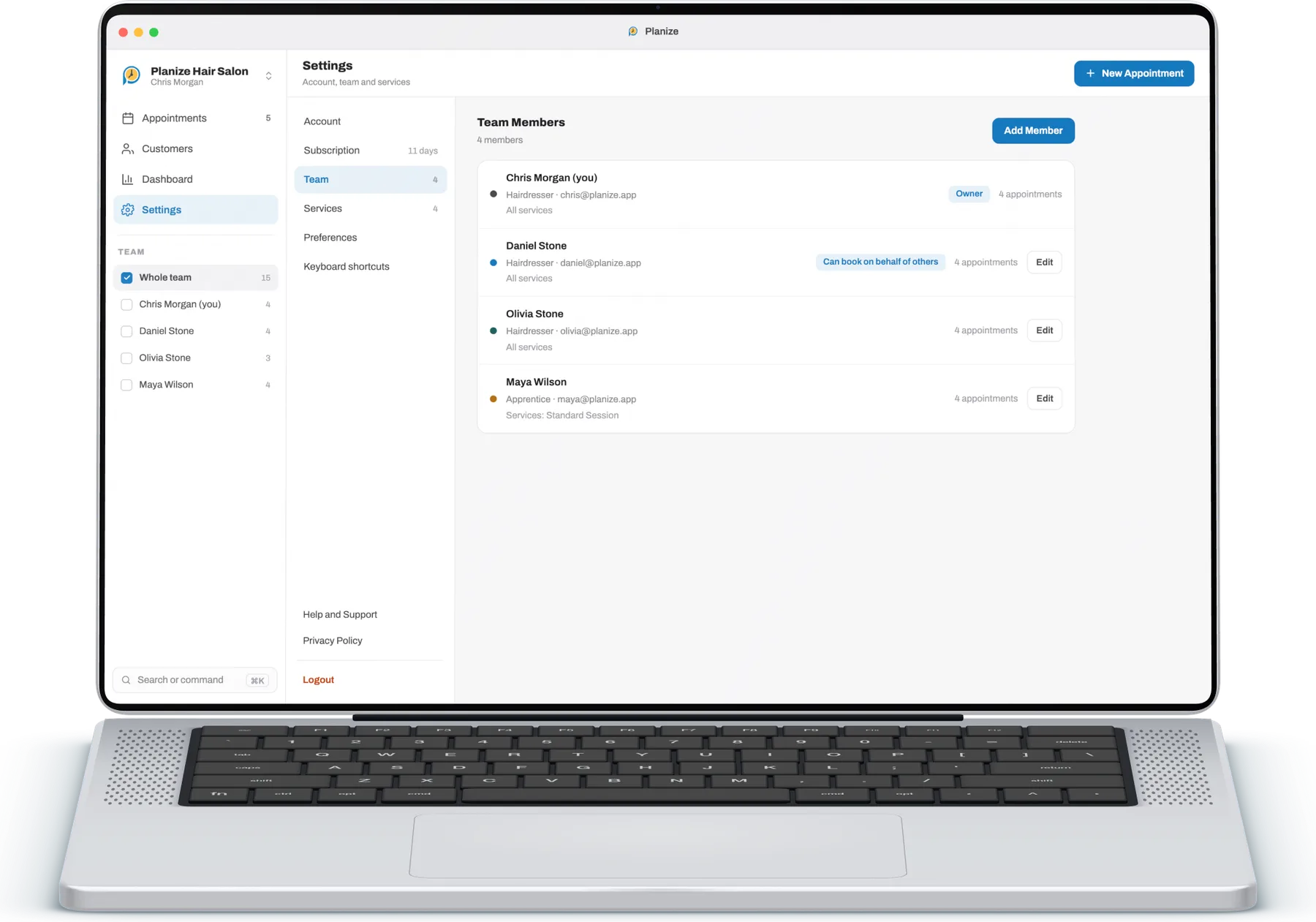
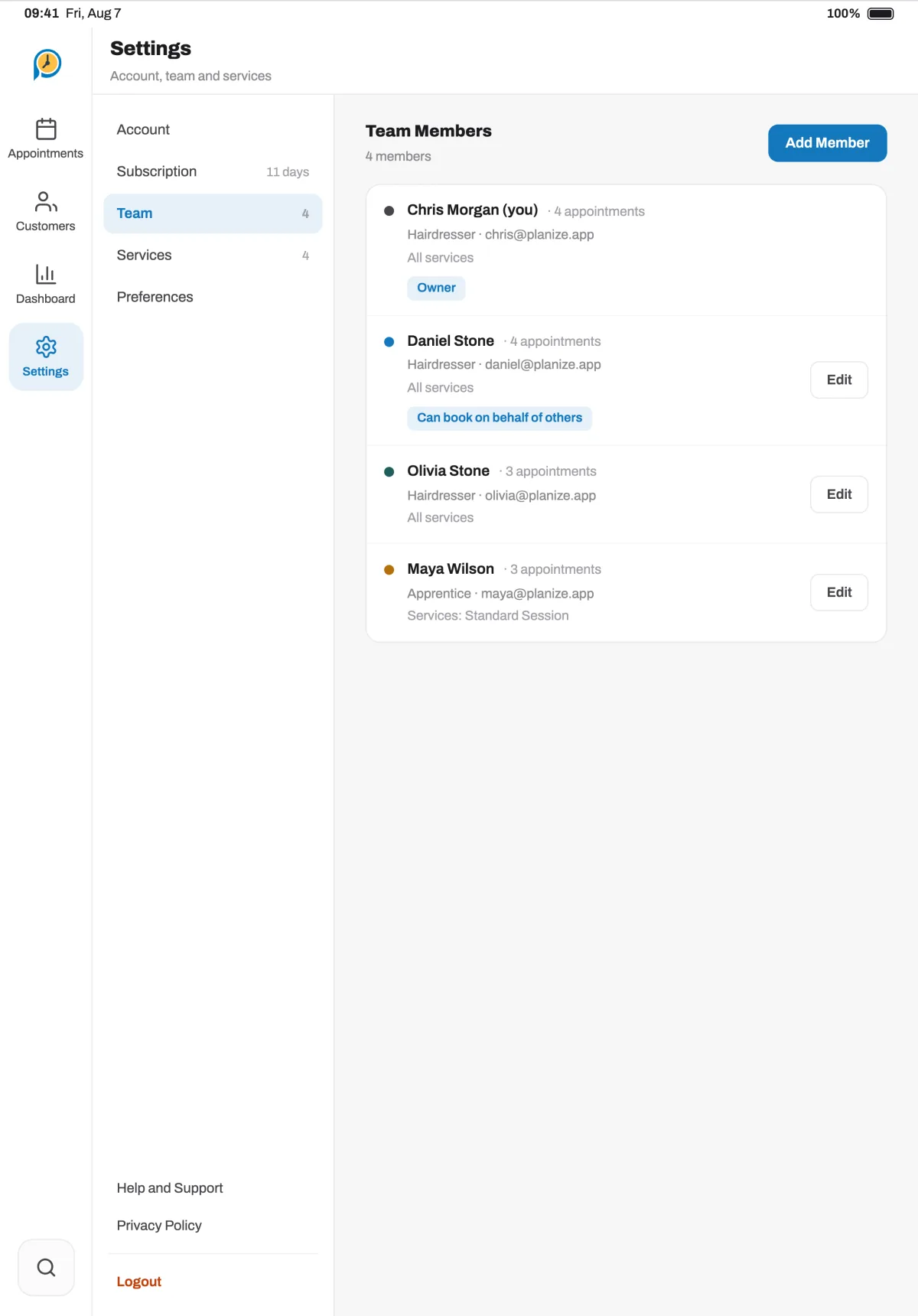
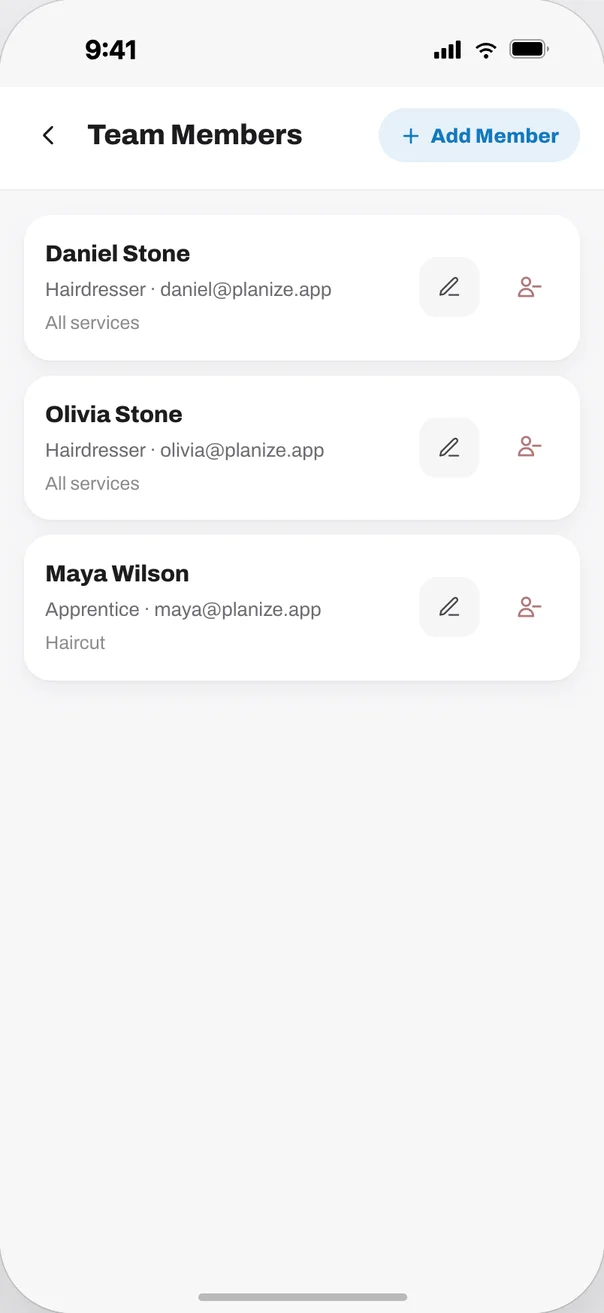
The desktop app is redesigned for the big screen. See the whole week at once and manage appointments without taking your hands off the keyboard.
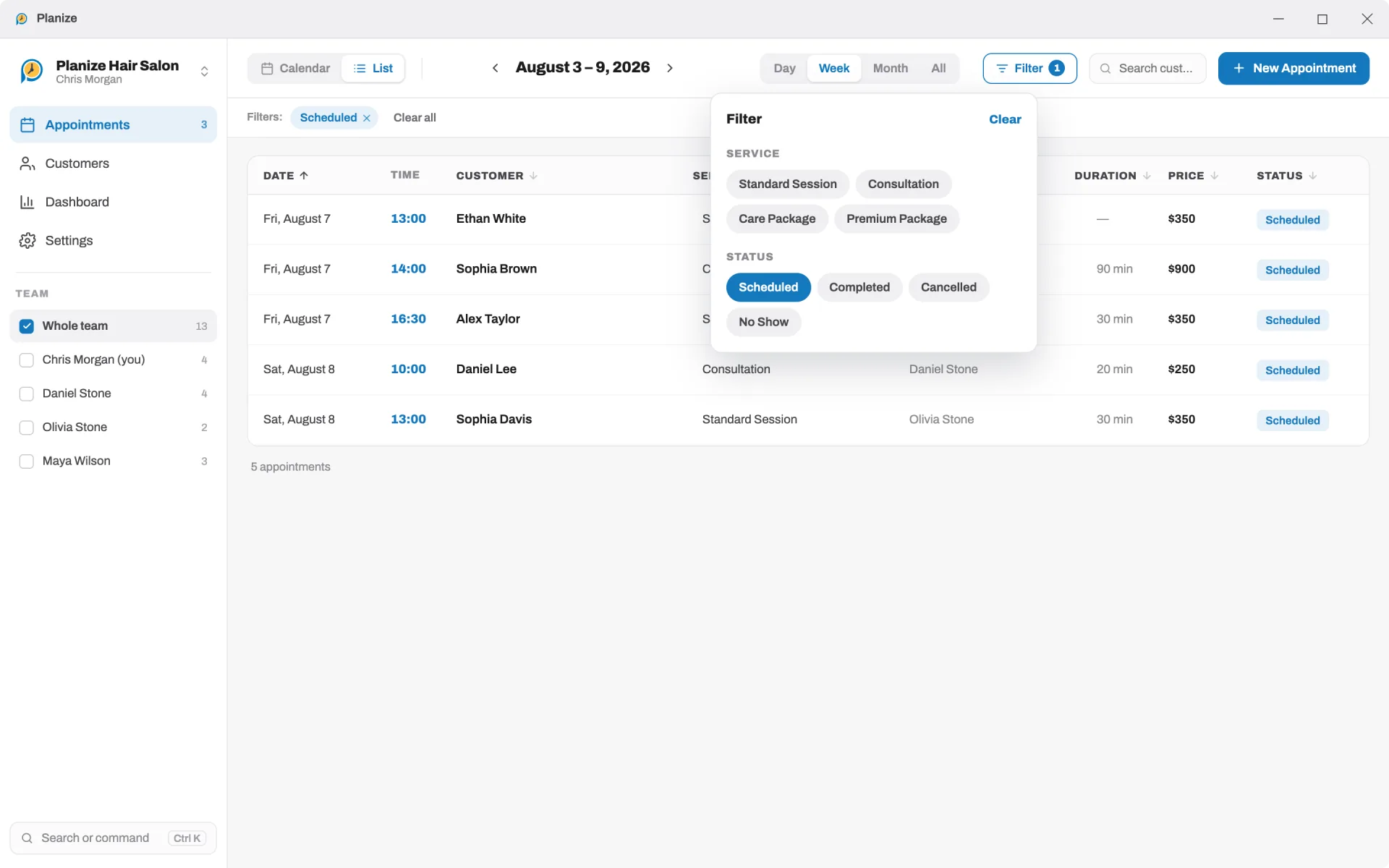
An appointment you add on your computer shows up on your tablet and phone; a change on your phone shows up on your computer. Nothing extra to do.
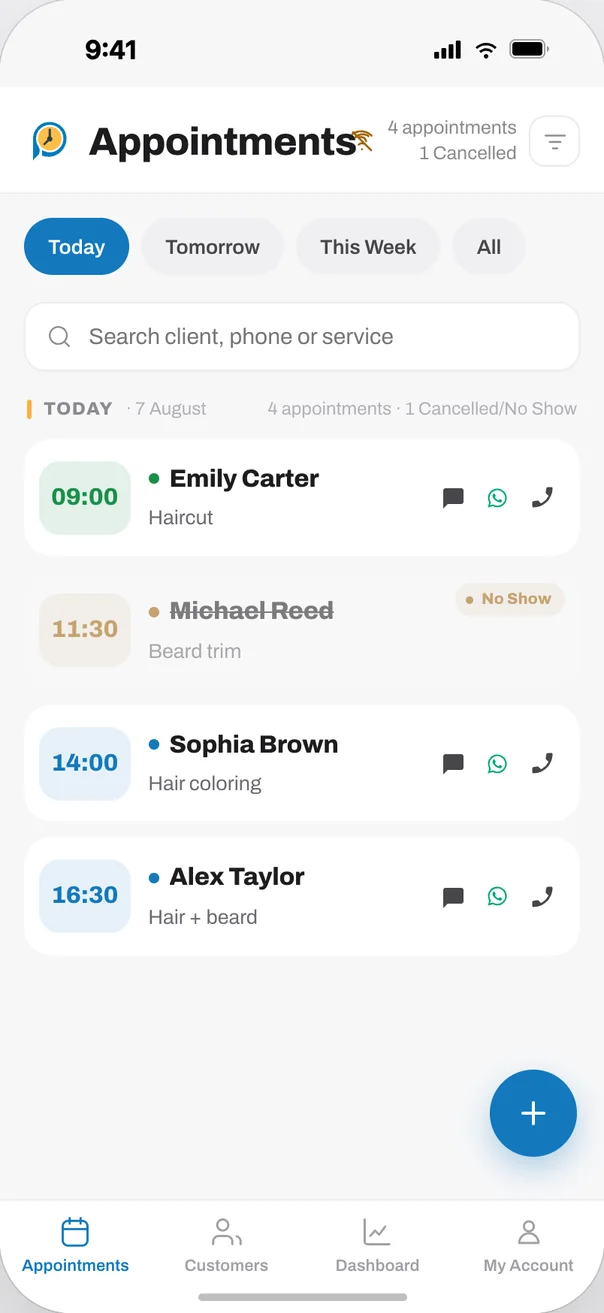
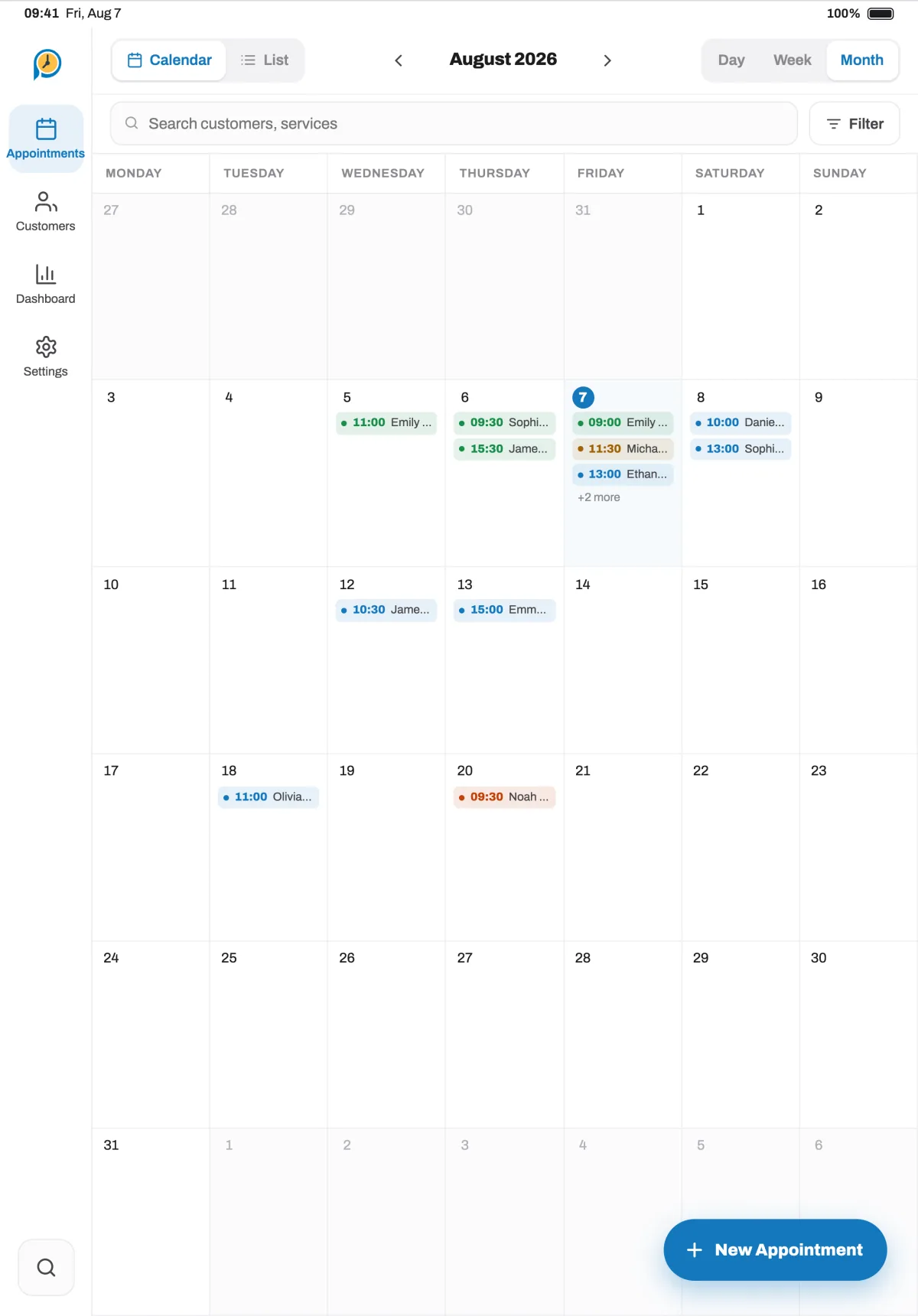
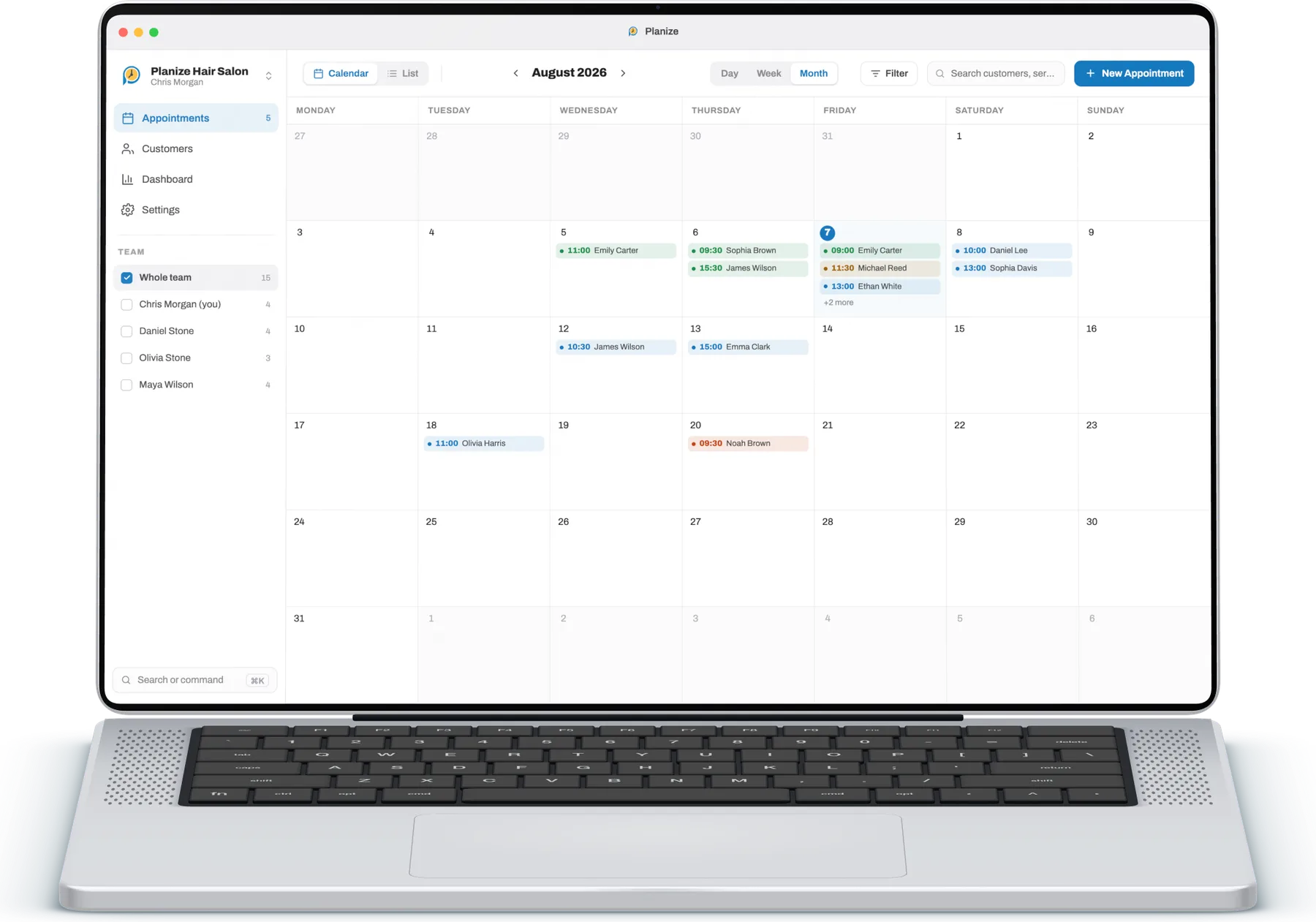
Changes reach every device signed in to the same account on their own.
Add and edit appointments without a connection; they sync once you're back online.
Your appointments are stored in the cloud with your account; switch devices and nothing is lost.
On phone and Mac, get a notification at the time you choose before each appointment.
Call, text or open WhatsApp straight from the appointment card.
Search by client, phone or service name; filter by status and team member.
Set each service's duration and price once and they appear on the appointment automatically.
The owner sees everything; team members only see their own appointments.
Track your revenue, popular services and returning clients.
See today's appointments without opening the app: a home screen and desktop widget on iPhone, Android, Mac and Windows 11. You can show the service instead of client names.
Send a client a ready message by SMS or WhatsApp in one tap: confirmation, reminder, reschedule, cancellation and templates for your type of business. Write your own; the client name, date, time and business name fill in automatically.
From a one-person studio to a salon with many staff; easy enough to start right away, flexible enough to fit how you work.
On your phone, tablet or computer; start with whichever you like.
Add your services, prices and team in minutes.
Sign in with the same account and your appointments are waiting everywhere.
You can try every Planize feature free for 14 days. No credit card is required during the trial, and at the end you can pick the subscription that fits your business.
Yes, it can. You can create and edit appointments without a connection, and your changes sync to the cloud automatically when you are back online.
It is built for any appointment-based business: barbers, hair salons, beauty and wellness studios, clinics, therapists, consultants, coaches, tutors and instructors.
Yes. Invite your staff to the same business, manage every appointment from one shared calendar, and keep the working day coordinated across multiple devices.
Planize is available for iPhone and iPad (App Store), Android (Google Play and Huawei AppGallery), Mac (Mac App Store) and Windows (Microsoft Store). Sign in with the same account and your appointments sync automatically across all your devices.
Yes. On iPhone, Android and Mac you can pick a client from your contacts while creating an appointment; the name and number are filled in automatically. From the client card you can call, text or WhatsApp them in one tap.
Yes. You can add an address and an exact location to the client card. On iPhone, iPad and Android, use your current location or paste a map link, coordinates or a Plus Code; on Mac and Windows, paste a link, coordinates or a Plus Code. Links from Google Maps, Apple Maps, Yandex Maps, Waze are recognised. Directions open in your maps app with one tap.
No. Planize is your business's own appointment book: you or your team enter appointments, for example when a client calls or messages. There is no public online booking page for clients.
Yes. Planize offers a home screen widget that shows today's appointments without opening the app: on iPhone and iPad, on Android, on the Mac desktop and in the Windows 11 Widgets board. The widget is a day timeline ordered by time; tapping an appointment opens it in the app. For privacy it can show the service name instead of the client's name. Settings in the app has a "Home screen widget" card with step-by-step instructions for adding it.
Yes. Before sending a client an SMS or a WhatsApp message you can pick a ready template: common ones such as appointment confirmation, reminder, reschedule, cancellation and running late, plus templates for barbers and hair salons, health, consulting and education. You can write your own too; the variables {customer}, {date}, {time}, {service}, {business}, {staff} and {price} fill in from the appointment when you send. Ready-made templates are currently provided in the Turkish app language.
Every feature unlocked, no credit card required. Pick your device and add your first appointment in minutes.